utlogo
UT HOME A-Z INDEX FEEDBACK
go
Advanced Search
FTO Home Educational and Information Technology eDirectory Printer Friendly Page


Welcome
 
       to The University of Toledo's
   Email web interface


  Access My UT Email using:                            Secure Access   (128bit SSL)  
 
  Access My UT JunkMail using:                      Secure Access   (128bit SSL)

Information

Upcoming Changes  /  Past Changes  /  EIT HelpDesk  /  Junk Mail  Password Policy


To logon you enter your UTAD user ID  in the logon window

If you are having problems getting logged in due to the password policy, try changing your password using:   http://myutaccount.utoledo.edu

This page has been added in order to implement some important changes and to be used as a method of notification for the users of the system.

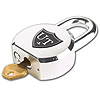
We have implemented SSL (Secure Sockets Layer) to the email.utoledo.edu web page.  This adds encryption to all communications between your browser and the email web server, protecting your data.  You can tell when you are in a secure session by what you see.  If the beginning of the URL address starts with "https"  or if the lower right corner of your browser has the "lock" symbol shown you in a secure session.


Service / Resource Access
 
If you need access to a service or resource mailbox, enter the mailbox name below and press enter:
   You will need to enter your user id and password to gain access

Mailbox :
           NOTE:  This is using 128bit SSL


Upcoming Changes:


Past Changes:

GroupWise User Migrations: December 9, 2006

Migrations of the majority of GroupWise users completed.

Username Update: July 26, 2006

At 6:30am on Wednesday 7/26/06, the following changes to the Outlook email system will be implemented:

 1)  The Outlook Web Access (OWA) system (http://email.utoledo.edu) will no longer support unsecured access to the UT Outlook email system.  This will result in all email data, accessed over the web, being encrypted for security purposes.  This change will be implemented by EIT through the removal of the unsecured access option from the OWA access page.  We do not anticipate this change causing any problems for email system users since the unsecured access had only been offered to support very old browsers that did not support SSL which should no longer be in use.

 2)  The Outlook email system will be reconfigured to begin delivering the Outlook out-of-office assistant messages to internet email addresses in addition to UT mailboxes.  Currently, the messages generated from an out-of-office rule are only delivered to other UT Outlook users.  After the change, any address that sends e

mail to your mailbox will receive an out-of-office reply if you have out-of-office turned on.  For clarification, a sender only receives one out-of-office message from your account during an out-of-office duration regardless of how many emails they send you during your outage.


Password Policy: July 1, 2004

This is intended to strengthen the passwords to make them more resilient to password cracking and abuse of UTAD accounts. 
Effective 7/1/2004, the UTAD password policies are as follows:. 
 
1. Maximum password age will be 180 days. (Currently, passwords must be changed at least every 365 days.)
2. Minimum password length will be 6 characters.  (Currently, no minimum length is enforced.)
3. There will be no change to the 8-try lockout limit.  (Accounts are temporarily locked after 8 unsuccessful login attempts with invalid passwords.)
 
Although these are the minimums that the domain will allow, we suggest that users further strengthen their passwords by implementing the following techniques:
 
1. Passwords should be at least 8 characters in length.
 
2. Passwords should contain characters from at least 3 of the following 4 categories:
   a) English uppercase characters (A through Z)
   b) English lowercase characters (a through z)
   c) Base 10 digits (0 through 9)
   d) Nonalphanumeric characters (e.g. !, $, #, %)
 
3. Passwords should not be common usage words such as:
   a) Their username
   b) Names of family, pets, friends, co-workers, fantasy characters, etc.
   c) Computer terms and names, commands, sites, companies, hardware, software.
   d) The words "University of Toledo", "UTAD", "Utoledo", or any derivation.
   e) Birthdays and other personal information such as addresses and phone numbers.
   f) Word or number patterns like aaabbb, qwerty, zyxwvuts, 123321, etc.
   g) Any of the above spelled backwards.
   h) Any of the above preceded or followed by a digit (e.g., secret1, 1secret)
   i) Any word in any language, slang, dialect, jargon, etc.
   j) Do not use the same password for UTAD accounts as for other non-UTAD access (ISP accounts, benefits, bank accounts, ebay accounts, etc.)
 
4. Tips for creating cryptic passwords that you can still remember include:
   a) Think of a jingle or phrase and use the first character of each word in the phrase inserting special characters and changing the case (i.e. "I have been to the mountaintop" could become the password: Ihb2tM!
   b) Use the middle initial of your family members' names coupled with the numbers of the month of their birth and put them in descending age sequence and having all adult names in uppercase and children in lowercase while separating adults from kids with a special character (i.e. L12G8&j6g8).


Page last updated August 30th, 2006

©2002-03 The University of Toledo, Ohio 43606-3390
General Disclaimer :: Report any problems::